
Today, a rather technical article about Property Sets – or Psets for short. PsetsIf you're involved in construction, facility management, or CAFM, Psets are probably something you've heard of. Maybe you've also wondered: "What's this supposed to be now? Another BIM acronym that complicates everything?" Don't worry – who hasn't struggled with an IFC export that looked like a puzzle with missing pieces? In this post, I'll explain what Psets are, why they are essential, how they work, and how you can use them in practice. By the end, you'll know how to make Psets your ally instead of seeing them as a necessary evil. I hope so ;-)
What are Property Sets Anyway?
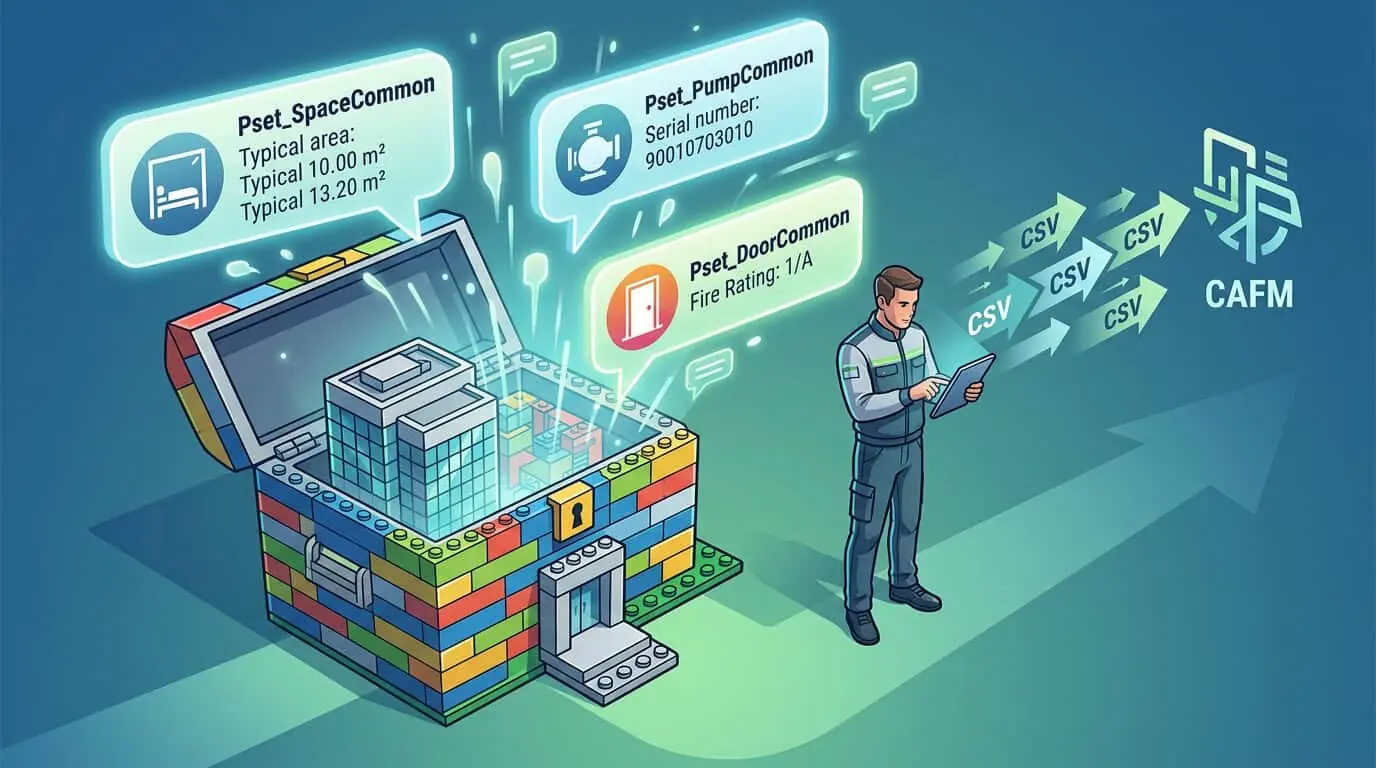
Imagine a BIM model is like a state-of-the-art Lego house. The geometry – walls, floors, doors – forms the visible structure. But what makes the house truly useful? The properties: Is the door fire-resistant? What is the heating output of the room? When does the air conditioning need maintenance? That's exactly what Property Sets, or Psets, are: standardized packages of attributes (properties) that describe objects in a BIM model.
Technically, Psets are defined in the IFC (Industry Foundation Classes) format. IFC is the open standard from buildingSMART for data exchange in the construction industry. A Pset is a group of properties that logically belong together, e.g. Pset_SpaceCommon for rooms or Pset_DoorCommon for doors. Each property has a name, a data type (e.g., String, Real, Boolean, Enumeration), and a value. Psets can be standardized (from the IFC specification) or proprietary (customer-specific).
A small example: Let's take a room. The standard Pset Pset_SpaceCommon contains properties like GrossPlannedArea (gross floor area), NetPlannedArea (net floor area), IsExternal (if external) or OccupancyType (usage type). Sounds dry? It is – until you realize that without this information, your facility manager is left in the dark. Humorously put: Without Psets, your BIM model is like a car without an engine – nice to look at, but you won't get far.
Psets are not new. They have existed since IFC2x3 (around 2005) and were greatly expanded in IFC4 (2013) and IFC4.3. Today, there are over 500 standardized Psets for everything from building components to construction products. But beware: Not every BIM authoring tool fills them out automatically. Revit does a good job, ArchiCAD often requires adjustments, and some designers only fill in the mandatory fields – the rest remains empty like a parking lot at midnight.
The Structure of Psets: A Technical Deep Dive
Let's dive deeper without getting boring. A Pset in the IFC schema is an instance of the class IfcPropertySet. It contains a list of IfcPropertyobjects. Each property has:
-
Name: Unique identifier, e.g.
ReferenceorFireRating. -
NominalValue: The value, e.g.
IFCREAL(2.5)for 2.5 m². -
Unit: Optional, e.g.
IFCUNITfor meters. -
DataType: As mentioned, from simple types to complex ones like
IfcLabel(String with max. 255 characters).
Psets are assigned to objects via IfcRelDefinesByProperties. This is the relationship class that says: "This IfcSpace has that Pset." In an IFC file, it looks like this (simplified STEP format):
#42=IFCPROPERTYSET('2bW$#scO$0bIxPq$9K4y$oA',$,('Pset_SpaceCommon'),$);
 #43=IFCPROPERTYENUMERATEDVALUE('OccupancyType',$,.EDUCATION.,$);
 #44=IFCRELDEFINESBYPROPERTIES('3D4$eGq$0bIxPq$9K4y$oA',$,$,(#41),(#42));
Translated: Pset "Pset_SpaceCommon" with Property "OccupancyType" = "EDUCATION" is assigned to object #41. Sounds like hieroglyphics? It is, but tools like BIM Vision or IfcOpenShell turn it into readable tables.
Important: Psets are flat – not nested structures. More complex information comes via Quantity Sets (Qsets) for measurable values like volume (IfcQuantityVolume) or via types (IfcTypeObject). And yes, there are Pset_Types, e.g. Pset_DoorTypeGlazing, which all instances of a type share.
A stumbling block: Case-Sensitivity! PsetSpaceCommon vs. psetspacecommon – IFC is case-sensitive. A small typo, and your viewer will display nothing. Bad luck ;-)
Why Psets are Worth Gold in Facility Management
Remember my last article about BIM viewers? It was about metadata quality – and Psets are precisely the core of it. In Facility Management (FM), Psets translate BIM data into operational information. Without them, your IFC export is as useless as an umbrella in the desert.
Key Benefits:
-
Asset Management: Serial numbers, manufacturer, maintenance intervals from
Pset_MaintenanceElementCommon. -
Room Data: Areas, usage, energy consumption from
Pset_SpaceCommon. -
Compliance: Fire protection classes (
FireRating), accessibility (WheelchairAccessibilityCAFM-Blog.de -
COBie Export: The COBie format (Construction Operations Building Information Exchange) is based almost exclusively on Psets. No clean FM import without complete Psets.
: Practical example: Imagine your CAFM system (e.g., Planon) is supposed to take over maintenance planning. The pump Pset Pset_PumpCommon has UsageFuel, StartUpTime and RatedFlowRate. Is missing SerialNumber? Hello, manual search! In reality, good Psets save hours: A facility manager filters in a viewer for rooms with OccupancyType=OFFICE and exports areas for tenant billing – lightning fast as CSV.
I know an FM project manager who took over a €10 million campus. The planner had forgotten Psets. Result: 200 hours of manual data collection. Moral: Psets are cheaper than overtime.
Compared to proprietary formats (Revit Shared Parameters), Psets are open and interchangeable. But: Many planners fill them half-heartedly. IFC4.3 brings improvements Pset_*_PredefinedType, which standardize type-specific information.
Common Psets at a Glance: A Table for Reference
Here is a selection of relevant Psets for FM. I have divided them into categories – perfect for printing and sticking on your monitor.
Tip: You can find the official list at buildingSMART. Over 500 Psets – but for FM, 20-30 core Psets are sufficient. Don't let anyone tell you otherwise (or convince me of the opposite...).
Pitfall: Enumeration Values. OccupancyType only accepts buildingSMART enum values like EDUCATION, not 'Office'. Incorrect values? Viewer displays empty.
Psets in Practice: Creating, Validating, Exporting
Creation in Authoring Tools:
-
Revit: Psets via Type Properties or Shared Parameters (map to IFC). Export as IFC: Pay attention to 'Export Property Sets' activate.
-
ArchiCAD: Property Manager – assign Psets directly.
-
Solibri: Rule checker for Psets ('Missing Pset_SpaceCommon').
Validation:
Use Solibri Model Checker or free tools like IFC Validator. Script with IfcOpenShell (Python):
import ifcopenshell
 model = ifcopenshell.open('model.ifc')
 for space in model.by_type('IfcSpace'):
 psets = ifcopenshell.util.element.get_psets(space)
 if 'Pset_SpaceCommon' not in psets:
 print(f"Raum {space.Name} fehlt Pset!")
This saves nerves – and shows where planners have fibbed.
Export and Integration:
-
To CSV/COBieViewers like Trimble Connect or Autodesk export Psets cleanly.
-
API: REST endpoints of viewers deliver Psets as JSON.
-
CAFM Import: Map
Pset_SpaceCommon.GrossPlannedAreato Planon field "Gross Floor Area".
Trade-off: Cloud viewers stream Psets really fast, but offline? Often only geometry, Psets then load later. Desktop solutions like BIM Vision: Everything local, but RAM-hungry (and you'd actually have to ask your IT to install it...).
Common Problems and How to Solve Them
Psets sound great – until they don't work. Here are the classics:
-
Empty Psets: Planners export only geometry. Solution: RFP clause "100% Pset_SpaceCommon for all rooms".
-
Incorrect Names/Units: "Area" instead of "GrossPlannedArea", meters vs. m². Solution: Automated checks with scripts.
-
Interpretation Errors: Viewer shows Pset, export changes names. Solution: Quick test from our last article!
-
Versions: IFC2x3 vs. IFC4 – Psets differ. Solution: Choose a viewer with IFC4 support.
Concrete Example: An FM team tested a Revit export. Pset_PumpCommon.SerialNumber was there, but as string "NULL" instead of empty. Import into CAFM: Duplicates! Fix: Pre-processing script that cleans NULL values.
Tip for Power Users: Use XKT (glTF-based) for web viewers – Psets are then retained as metadata.
Psets in the Future: Trends and Best Practices
IFC5 (in progress) extends Psets with AI-friendly structures, e.g., for Predictive Maintenance. Digital Twins thrive on Psets – live linked with IoT sensors (e.g. Pset_SensorCurrentCAFM-Blog.de
Best Practices:
-
Standard First: Only proprietary Psets as supplements.
-
Check Matrix: As in our test matrix – demand 90% correctness.
-
Automate: CI/CD for IFC validation.
-
Training: Train planners on Psets – saves FM costs.
Comparison: Psets vs. Alternatives
Psets win from my perspective – for interoperability.
Conclusion: Make Psets the Star of Your Workflow
Property Sets are the unsung hero in the BIM-FM battle. Technically robust, standardized, and practical – if you use them correctly. Test with real files, automate checks, and request them in RFPs. This is how BIM chaos turns into usable data.
