
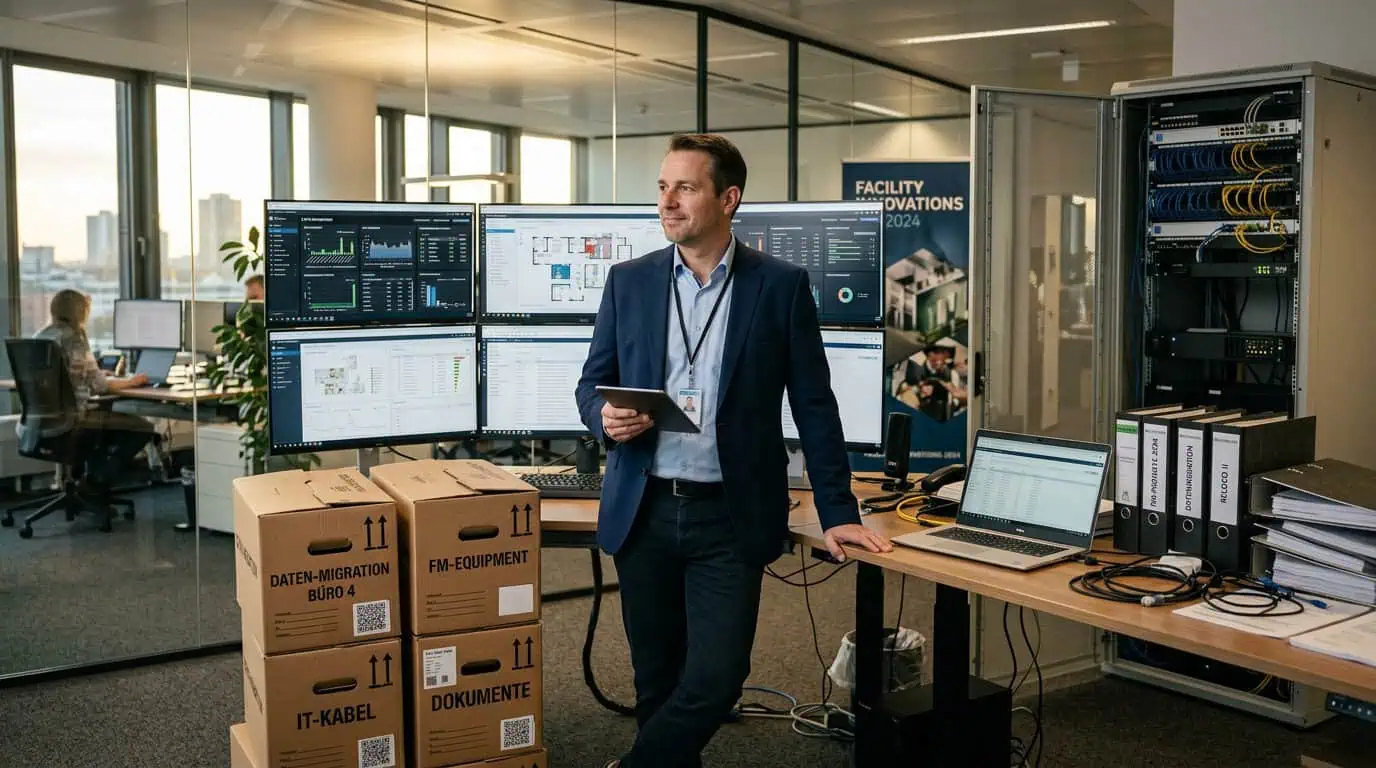
There are in Facility Management few projects that are as reliably romanticized as the Replacing a CAFM system. On paper, it always sounds wonderfully simple: old system out, new system in, migrate data, modernize processes, everyone happy, operations more efficient, reporting cleaner, users delighted, the board impressed.
In practice, this is about as realistic as the idea that you can clear out a cluttered basement by simply sticking a label on the door and then ordering a new shelf. "The" guideline for CAFM implementation describes replacement as a separate phase, but at the same time makes it clear that this is precisely where the project faces its final major test: data, processes, operations, migration, expectations, and organization must all align.
The Real Mission
The official narrative for replacement sounds something like this: We'll take over everything relevant, we'll clean up the old, we'll introduce the new in a structured way, and afterwards everyone will work more efficiently than ever before. The real narrative is more like: We need to find out, which data is still correct at all, who maintains them, why they exist, why they are listed 5 times in 3 different fields, and why no one knows anymore if the room ID, the asset ID, and the Excel column "Object old final really final (b)" mean the same thing. My colleagues in consulting also emphasize ad nauseam that a CAFM implementation doesn't start with buying software, but with analysis, goal definition, data assessment, and migration strategy — and that a clean migration strategy is particularly crucial for replacement.
Replacement is therefore not an IT swap, but a mix of organizational appendectomy and roof renovation: you remove something old that is annoying but somehow still keeps things going, and hope that half the building doesn't collapse underneath. The most common misconception is that a new system automatically generates better data. This works about as reliably as a new kitchen automatically producing better food.
The Holy Data Migration Fairy Tale
The first myth is: "We'll just take over all the data." That sounds reasonable, but in practice it's an invitation to disaster with a start date. Because "all data" doesn't mean "all useful data," but usually a mix of master data, legacy issues, duplicates, remnants of history, half-maintained workflows, unclear status fields, orphaned objects, and lovingly maintained Excel graveyards. This is precisely why it is explicitly pointed out in practice that only cleaned, consistent legacy data should be migrated and that data cleansing is mandatory before dumping it into the new system.
Especially when taking over data graveyards then the true art becomes visible: The problem is not the migration itself, but the decision what to still have a dataset at all and what is already historical sediment. In many inventories, there is data that exists formally but is factually dead. A piece of equipment is listed but no longer in the building. A room is still set up, even though it has been a copy area, then a meeting room, and now a storage room for three renovations. A contract is still active, even though the service provider has long since changed. And somewhere it still says: "Data record OK". Yes, as complete as a ruin can be.
Costs: The Real Language of the Project
When costs are discussed in CAFM projects, it rarely means just the software license. Honestly, we should look at license costs, implementation, training, data migration, interfaces, hosting, ongoing operation, and support as relevant cost blocks. It is particularly interesting that the published orders of magnitude per workstation can vary greatly, and training and onboarding form significant separate cost blocks.
This is also logical: A CAFM replacement is not an isolated software introduction, but a restructuring of data, processes, and responsibilities. Anyone who believes the project ends with ordering the license has not accounted for the species that appear in every CAFM project at some point: the data cleaner, the interface architect, the process rescuer, the Key users with burnout warnings and the decision-maker who asks why all this wasn't productive yesterday (you know that too, don't you?). Therefore, the price of a CAFM change consists not only of money but also of time, patience, attention, and political wear and tear.
It gets even worse if the expectation is that the replacement can be done "on the side".
This is roughly like replacing a main distribution board while operations continue, and then being surprised to find that electrical circuits and corporate reality do not always share the same sense of humor. In practice, the cost framework shifts almost always, because unclear legacy processes, missing data quality, and additional interfaces only become visible during the project. What initially looks like an organized system often turns out to be archived improvisation with usage rights.
The Process You Inherit
Perhaps the most uninspiring truth about a CAFM replacement is: You are not just replacing software, one inherits processes. And inherited processes are like antique furniture from an IKEA-influenced family apartment – they have history, but nobody knows why they're still around. Everyone should (!) realize that the current state analysis is precisely why it's so important: weaknesses, media breaks, duplicate entries, and unclear responsibilities must become visible before the replacement.
In reality, however, something else often happens. You take the old process, pour it into a new interface, and call it transformation (or "CAFM 4.0"). Then a workflow that was already nonsensical in the old system is reproduced in the new system with more modern buttons, prettier colors, and perhaps even an app. The result is then not digitalization, but the industrial refinement of nonsense. The new process is faster, prettier, and unfortunately still wrong. One could almost applaud if it weren't so expensive.
Therefore, when replacing a system, the most dangerous statement is not "The old system is bad," but "We want to adopt the existing process." This is convenient because it avoids conflict. However, it is usually precisely the decision that leads to paying for a new system to now execute the old deficiency in high gloss.
Expectations from a Parallel Universe
A central problem is misguided expectations regarding feasibility, price, and time horizon. The "official" project logic in GEFMA-related descriptions includes phases from analysis, requirements catalog, and implementation to replacement; thus, this replacement is not the end of the project but a separate step that must be carefully planned. Nevertheless, in many organizations, the switch is treated as a procurement act followed by a miraculous cure.
The wish list then reads something like this: all data complete, all processes standardized, no restrictions, individually tailored enough for our specific needs, seamlessly integrated into ERP, DMS, GIS, and building automation, , cheap, fast, no training effort, high user acceptance starting next quarter. So, one wants the Ferrari price, the bicycle feeling, and the reliability of a public bus on a holiday, all at the same time. Technically, this is about as sound as the idea of remediating a water damage project with a single moisture meter and a PowerPoint slide.
In reality, CAFM systems often have to be connected to ERP, DMS, GIS, BIM, and technical systems via interfaces and Data Migration, training, and operation are an integral part of the service package. This is precisely why: Those who underestimate the replacement have usually not miscalculated, but thought incorrectly.
The project is rarely too expensive because CAFM providers and consultants are too greedy; it is expensive because organizations only discover their own complexity when someone writes a schedule for it.
Data Graveyard with Login
The data graveyard is the actual main actor in every CAFM replacement. It has many tombstones, but no flowers.
It consists of data that was once important, then half-heartedly maintained, finally existed only out of habit, and is now given the honorary titles of "old stock" or "historical data." The problem isn't that this data exists. The problem is that no one wants to let go of it, as long as it's not clear whether it might, might, might still be needed s-o-m-e-w-h-e-r-e.
And of course it is needed—usually by the exact department that reports five minutes before go-live and says that the last eight years must please also be migrated because they want to access it "for audits." "We need this for audits" is the magic phrase in the CAFM context that gives every data corpse social relevance again. Then, tidying up suddenly becomes archiving, archiving becomes a migration package, and a migration package becomes an additional budget.
The professional answer to this is actually clear: Not everything old belongs in the new. For future use, only cleaned and consistent data should be transferred, while the rest is archived or secured elsewhere. The organizational answer is significantly more complicated: "We'll do that later."
However, later in CAFM is the place where good intentions die and project budgets are stretched to the limit.
The Bad Old in New Clothes
A CAFM replacement fails not only due to data but also due to the longing to uncritically perpetuate the old. Many organizations want a new system but not a new way of working. They want modern transparency, but the old Excel freedom. They want clean data, but without the cleanup. They want compliance, but without documentation-intensive maintenance. They want standards, but of course specifically for their special cases (and believe me, I've heard exactly that what feels like 1000 times...).
GEFMA emphasizes (and not just them) that an implementation always involves Requirements analysis, process recording, data concept, and project organization and that the replacement must be a conscious renewal phase . This is important because otherwise, you only renew the surface at the end. Then the system looks new, but under the hood, the same habits continue to live like cockroaches after renovation. This is not progress, but merely better-lit dysfunction.
It becomes particularly painful when old processes are not just bad, but politically entrenched. Then the question is no longer how a process should function technically, but who pressed which button in the old system and why no one wants to remember it anymore. Replacing a system therefore forces organizations not only to migrate technically, but also to engage in self-criticism. And that's often the moment when the project team says with a serious face, "Change Management," while in the background five people are already saving their Excel favorites ;-)
Practice of Reality
Practical examples from current CAFM projects show how broad the requirements for systems and migration actually are. Manufacturers describe typical integrations with SAP, DMS, GIS, BIM, IoT, ticketing, and mobile solutions; at the same time, data migration, data collection, training, and support are listed as part of the overall package. This clearly shows that a replacement is not purely a software decision, but an ecosystem change.
A practical case is the replacement of a system in which areas, assets, tickets, and contracts have grown historically but were never truly harmonized. Then, before migration, it must first be clarified, which data model will apply in the future, which fields are technically binding and which information only has space in the archive. This is precisely why the project methodology demands an early analysis of data quality and target structure.
Anyone who skips this step does not migrate knowledge, but solidifies confusion.
Another type is the replacement of a system that was originally intended for a very small use case and later mutated into a universal system. Into a beast. Then everyone worked with it somehow, but no one followed a common data standard. The new solution is then supposed to suddenly deliver reports, mobile processing, workflows, compliance, and management decisions. This is the point where the project slides start to become insulting.
Why Budgets Fail
Many budgets fail not because of their size, but because of their incompleteness. Software, maintenance, hosting, and training are often mentioned in cost overviews, but the real explosive potential often lies in data cleansing, migration effort, interfaces, clarifying roles, testing, and rework. Therefore, technical guidelines emphasize that solid budgeting should always include buffers and risk assessment. But no one wants to hear that.
The punchline: The worse the starting situation, the more urgent the replacement seems - and the more unwilling people are to acknowledge the realistic costs. They prefer to invest in hope rather than preparation. From a business perspective, this is about as sensible as buying a fire extinguisher on the grounds that one hopes not to need it. If the existing stock is chaotic, time and costs inevitably increase. This is not malice on the part of the consultants, but the naked logic of data and organization.
The assumption that one can minimize the migration effort through a “smart” tender is particularly popular. This usually only leads to the project starting cheaply and ending expensively. A clear scope of services is more pleasant than a beautiful illusion.
Practice shows quite clearly that the data and migration concept must be centrally considered as early as the preparation phase.
Time Horizon Based on Wishful Thinking
There is also often poetic vagueness regarding the schedule. People then say things like: “We want to introduce this during the year” or “This should be productive by the end of Q3.” This sounds serious, but is often about as precise as “we'll do a clean renovation.” Technically, the duration of a CAFM implementation is strongly influenced by data quality, training, complexity, and scope; we often describe a multi-phase approach with analysis, tender, implementation, use, and later replacement. In practical descriptions, different implementation durations and training efforts are mentioned depending on the scope. But who consistently does this?
The problem is: The schedule usually only considers software configuration in wishful thinking. In reality, however, the Preliminary work often take longer than installing the system. Data must be identified, cleaned, mapped, tested, and professionally approved. Processes must be defined, discussed, adapted, and sometimes politically enforced implemented. Anyone who plans too tightly for this not only creates stress but also quality losses. And quality losses in CAFM later manifest in reports, tickets, maintenance, and ancillary cost statements — precisely where they are least needed.
What Works Well
Despite everything, a CAFM replacement is of course sensible if it is set up correctly. Current CAFM solutions typically offer significantly better integration options today. Or mobile use, customized reporting, and adaptable process support.
However, the best chance of success never lies in hoping for the perfect tool, but in an honest assessment of the current situation. Those who ask early on which data is really needed, which processes are really sensible, and which old burdens they really want to carry into the future will ultimately save money and nerves. And those who accept that a replacement is an organizational project, not just a software project, are already further ahead than many others. The replacement will still be strenuous, but at least no longer naive.
The real joke about CAFM replacements is that they almost always fail exactly where everyone was most confident: with the data, with the processes, and with the expectations. Not with the button design. Not with the logo. Not with the question of whether the dashboard is green or blue. But with the question, whether one has understood one's own assets at all.
Data completeness, data quality, migration strategy, stakeholder involvement, prioritization, and realistic Project Management are the actual success factors.
And perhaps that is precisely the point of my somewhat malicious blog post about replacing CAFM systems: You don't simply replace an old system with a new one.
You decide whether to continue managing your own organizational reality or finally start organizing it. This is less glamorous, costs more, takes longer, and rarely ends with confetti. But that's precisely why it sometimes even works.
